EasyNotes: Bringing Authentic Handwriting to Your Digital Projects
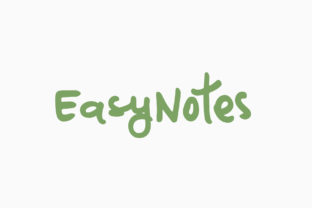
There is a specific kind of warmth that only genuine handwriting can bring to a design. It feels personal, immediate, and human in a way that perfectly aligned sans-serif fonts simply cannot replicate. This is where EasyNotes steps in as a game-changer for designers, creators, and small business owners who want to inject that authentic touch without needing calligraphy skills. It isn't just another script font; it is a casual, handwritten marker typeface designed with multiple ligatures to mimic the natural flow of a pen moving across paper.
When you look at the finished product, the goal is for the viewer to feel like they are reading a quick note left on a refrigerator or a doodle in the margin of a notebook. That level of authenticity is hard to achieve with standard digital tools, but EasyNotes bridges the gap between typed precision and organic imperfection. By integrating this font into your workflow, you aren't just changing a typeface; you are shifting the emotional tone of your communication.
Real-World Applications for Casual Design
The true value of EasyNotes lies in how it transforms ordinary projects into something that feels curated and thoughtful. You don't need to be a professional graphic designer to see the difference when you swap a rigid Arial header for something with character. Let's explore some practical scenarios where this font shines.
Personal Branding and Social Media
In an era dominated by polished, corporate aesthetics, standing out often means leaning into personality. If you run a lifestyle blog, a handmade shop, or a creative portfolio, using EasyNotes for headers or pull quotes can make your content feel more approachable. Imagine a recipe blog post where the title is written in a bold marker style, followed by a "Chef's Note" section that looks like it was scribbled by hand. It creates a sense of intimacy between the creator and the reader. The multiple ligatures in EasyNotes ensure that letters connect naturally, avoiding the robotic spacing that often ruins fake handwriting effects.
Event Invitations and Stationery
Weddings, birthdays, and corporate retreats all benefit from a touch of whimsy. While formal invitations might stick to classic serifs, casual gatherings thrive on energy. EasyNotes is perfect for creating custom invites that feel like they were drawn by a friend rather than printed by a machine. Whether you are designing a menu for a backyard BBQ or a welcome sign for a workshop, the marker aesthetic suggests fun and relaxation. It removes the stiffness of formal event planning and replaces it with a vibe that says, "Come hang out."
Educational Materials and Workshops
Teachers and trainers know that dry text can kill engagement. When creating worksheets, study guides, or presentation slides for younger audiences, a font like EasyNotes can make the material feel less like a textbook and more like a conversation. It works exceptionally well for highlighting key concepts or adding "sticky note" style reminders within a document. The visual break provided by the handwritten style helps the brain distinguish between core content and supplementary information, making learning more digestible.
Industry-Specific Benefits
Different sectors have unique needs when it comes to visual communication, and EasyNotes adapts surprisingly well across various fields.
- Retail and Packaging: Small businesses selling artisanal goods, coffee blends, or skincare products often use packaging to tell a story. A brand name or a tagline written in a marker style on a kraft paper label instantly communicates "handcrafted" and "small batch." It builds trust by suggesting that real people made the product, not a factory assembly line.
- Marketing Campaigns: In email marketing, subject lines and headers need to grab attention quickly. A headline that looks like it was written on a whiteboard stands out in a crowded inbox. It breaks the pattern of standard corporate emails, encouraging the recipient to open the message out of curiosity.
- Interior Design and Wall Art: For those creating printable wall art or home decor, EasyNotes offers a modern take on typography. Quotes, affirmations, or family mottos rendered in this font look great framed and hung in a living room or office, adding a layer of texture to the space.
Who Benefits Most from This Style?
While anyone can use a marker font, certain users will find it particularly transformative. Freelance creatives looking to differentiate their portfolios will appreciate how EasyNotes adds a signature element to their work without requiring hours of illustration time. Small business owners who wear many hats often struggle to maintain a consistent brand voice; this font acts as a visual shorthand for a friendly, accessible brand identity.
Furthermore, parents and educators who create DIY resources for children will find the font incredibly versatile. The casual nature of the strokes makes complex ideas feel simpler and more inviting. It is also excellent for hobbyists who print their own planners, journals, or scrapbook pages. The ability to mix EasyNotes with other fonts allows for dynamic layouts where the handwritten elements serve as accents that guide the eye through the page.
Practical Considerations Before You Start
Even though EasyNotes is designed to be user-friendly, there are a few things to keep in mind to ensure your designs remain effective and professional. The biggest challenge with any handwritten-style font is readability. Because these fonts mimic the irregularities of human writing, they can sometimes be harder to read in long blocks of text. The golden rule here is to use EasyNotes for headlines, titles, captions, and short phrases, while keeping body text in a clean, legible sans-serif or serif font.
Another consideration is context. While the casual vibe is great for blogs and social media, it might clash with industries that require strict formality, such as legal documents or high-end financial reports. In those cases, the marker aesthetic could undermine the authority of the message. Always ask yourself: Does this font match the mood I am trying to convey? If the answer is yes, proceed with confidence.
You should also pay attention to the ligatures. One of the standout features of EasyNotes is its built-in ligatures, which help letters connect smoothly to simulate ink flowing from a pen. However, if you are using software that doesn't automatically support OpenType features, you might need to manually adjust spacing or kerning to get the best look. Taking the time to tweak these details can elevate a good design to a great one, ensuring the text doesn't look disjointed or awkwardly spaced.
Maximizing the Potential of EasyNotes
To truly get the most out of this font, think about layering. Combine the marker style with textured backgrounds, watercolor washes, or even photos that have a slightly vintage feel. The combination of a rough paper texture and the soft edges of the letters creates a cohesive, tactile experience. Don't be afraid to play with color, either. While black and white are classic choices, using EasyNotes in vibrant colors can add a pop of energy to your designs, making them feel lively and spontaneous.
Ultimately, EasyNotes is about connection. In a digital world that often feels cold and impersonal, using a font that mimics the human hand is a powerful reminder of the people behind the screen. Whether you are announcing a sale, sharing a life update, or teaching a new skill, let the authentic look of EasyNotes do the heavy lifting in setting the right tone. It is a tool that turns static text into a visual conversation, inviting your audience to lean in and engage.